NEW·Version 1.0
Travel Map & Journal is here
A private map of everywhere you've been, a journal of the spots worth remembering, and what every trip cost, split between the people who went.
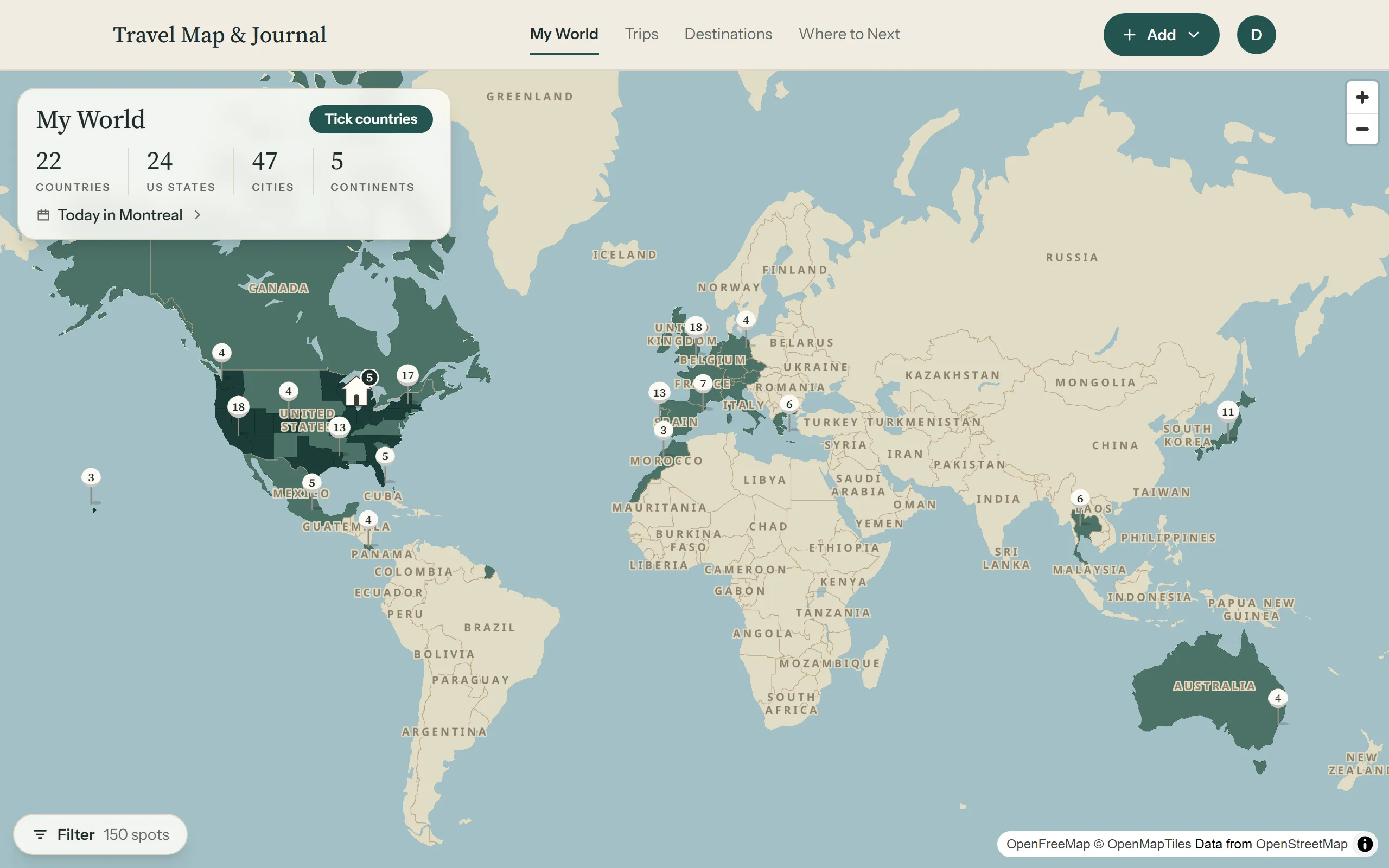
Your map
- My World fills in every country and US state you’ve been to, with each spot you’ve saved as a pin. Tap a pin to see what you thought of it.
- Tick countries you went to before you started, so your count is right from day one.
- Choose how your map looks: its colours, the shape of your pins and the colour of your home.
Trips and spots
- Add a trip in a minute, or add years of past trips at once with Quick add. A rough date is fine.
- Spots are the places you went: search for them, give them stars, mark your favourites and note what not to miss.
- Long lists sort themselves by kind, with your favourites first.
- A cover photo for each trip, alongside its map.
Planning what’s next
- Plan a trip coming up day by day, with a list of ideas for anything without a day yet.
- Where to Next keeps your trips coming up and your wishlist of places you want to go, with a countdown to the next one.
Destinations and home
- Destinations gathers every city and country you’ve been to, with all your spots there across every trip, and a note of your own for each.
- Home: add where you live, and keep spots near home. Past homes stay on your map.
Trip costs
- Add expenses in any currency, split however you like among the people who went.
- Totals are in your own currency, and Settle up shows who pays whom.
Sharing
- Two kinds of link for every trip: one with your tips for friends, and one with the costs for the people who came, who can join the trip.
- Friends can save your spots to their own wishlist straight from your link.
Yours to keep
- Your stats: countries, cities, days away and what it all cost.
- Download your data at any time, and restore it from a backup.
- Bring in your saved places from Google Maps.
- Works on your phone and your computer, in light or dark.